

Website Development vs Website Design: What Does Your Business Really Need?

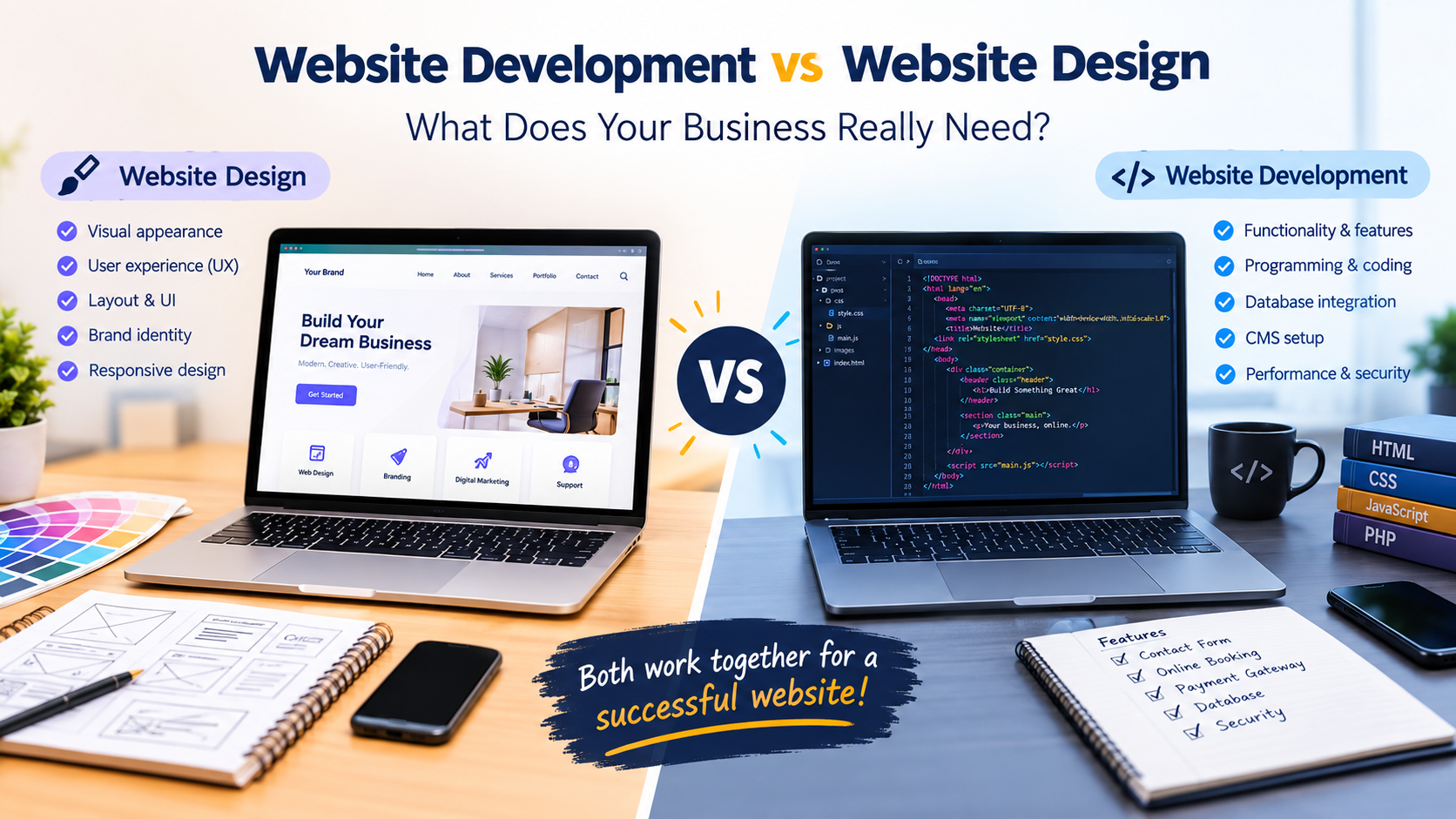
In today's digital world, having a professional website is essential for businesses of all sizes. Whether you run a small business, a startup, or an established company, your website helps customers discover your services, understand your brand, and connect with your business.
However, when planning a new website, many business owners face a common question: What is the difference between website development and website design, and which one does my business actually need?
Although these two terms are often used together, they serve different purposes. Website design focuses on how a website looks and how users interact with it, while website development focuses on how the website works behind the scenes.
Understanding the difference can help you make better decisions, manage your budget, and build a website that supports your business goals.
In this blog, we will explore website development vs. website design, their key differences, their benefits, and how to decide which service is right for your business.
Table of Contents
- What Is Website Design?
- What Is Website Development?
- Website Development vs Website Design: Key Differences
- Why Does Website Design Matter for Your Business?
- Why Is Website Development Important?
- Website Design vs Development: Which Does Your Business Need?
- Why Do Businesses Need Both Website Design and Development?
- How to Choose the Right Website Design and Development Company
- Frequently Asked Questions
- Conclusion
1. What Is Website Design?
Website design is the process of planning and creating the visual appearance, layout, and user experience of a website.
It determines how visitors see your website, navigate its pages, and interact with its content.
A well-designed website should look professional, communicate your brand identity, and make it easy for visitors to find the information they need.
Key Elements of Website Design
1. Website Layout
The layout determines how different elements, such as images, headings, menus, buttons, and content, are arranged on a webpage.
A clear layout helps visitors navigate your website without confusion.
2. User Interface (UI) Design
UI design focuses on the visual elements users interact with, including buttons, menus, forms, icons, and navigation bars.
A consistent interface helps create a professional and user-friendly experience.
3. User Experience (UX) Design
UX design focuses on making the website easy, convenient, and enjoyable to use.
For example, a customer should be able to find your contact details, explore your services, or submit an enquiry without unnecessary steps.
4. Colour Scheme and Typography
Colours, fonts, and visual styles help communicate your brand identity.
Consistent typography and suitable colour combinations can make your website easier to read and visually appealing.
5. Responsive Website Design
Responsive design helps a website adapt to different screen sizes, including smartphones, tablets, laptops, and desktop computers.
This is particularly important because many customers browse websites using mobile devices.
Example of Website Design
Imagine you own an interior design business in Bangalore.
Your website design might include:
- An attractive homepage showcasing your interior projects.
- A clean layout displaying your services.
- A gallery featuring completed projects.
- Easy-to-find contact details.
- A prominent enquiry button.
- A mobile-friendly layout.
These visual and usability elements are part of website design.
In simple terms, website design focuses on how your website looks and how visitors experience it.
2. What Is Website Development?
Website development is the process of building, programming, and maintaining a website so that its features and functions work correctly.
While website design focuses on the appearance and user experience, website development focuses on implementing the website's functionality.
Website developers use programming languages, frameworks, content management systems, databases, and other technologies to create websites.
Key Elements of Website Development
1. Front-End Development
Front-end development builds the parts of a website visitors can see and interact with.
Common technologies include:
- HTML
- CSS
- JavaScript
Front-end developers turn website designs into functional webpages.
2. Back-End Development
Back-end development focuses on the server-side operations that support a website.
It may include:
- Server-side programming.
- Database management.
- User authentication.
- Form processing.
- Business logic.
- Data handling.
These functions help websites operate correctly behind the scenes.
3. Database Integration
Some websites need to store and manage information such as customer details, product information, bookings, or enquiries.
Database integration helps websites handle this information efficiently.
4. Content Management System (CMS)
A content management system allows businesses to create, edit, and manage website content.
For example, WordPress can help businesses manage pages, publish blogs, and update website information without manually coding every change.
5. Website Functionality
Development makes website features work.
Examples include:
- Contact forms.
- Online payment systems.
- Product filtering.
- Appointment booking.
- Customer login systems.
- Shopping carts.
- Search functionality.
6. Website Maintenance
Website maintenance may include software updates, bug fixes, security improvements, backups, and performance monitoring.
Regular maintenance helps keep a website functional and reliable.
Example of Website Development
Consider the same interior design business.
Its website development requirements might include:
- Building the website using WordPress or another suitable technology.
- Creating functional enquiry forms.
- Connecting forms to email or a customer management system.
- Adding project galleries.
- Implementing website navigation.
- Configuring hosting and security.
- Ensuring the website works across supported devices and browsers.
These tasks fall under website development.
In simple terms, website development focuses on how your website works and how its features are built.
3. Website Development vs Website Design: Key Differences
Website design and website development are closely connected, but their responsibilities are different.
Here is a simple comparison to help you understand the difference.
| Feature | Website Design | Website Development |
|---|---|---|
| Main purpose | Creates the visual appearance and user experience | Builds the website's functionality |
| Primary focus | Layout, colours, typography, and usability | Programming, integrations, and technical functionality |
| Main activities | Wireframing, UI design, UX planning, and visual design | Coding, database integration, testing, and implementation |
| Common tools | Figma, Adobe XD, and other design tools | HTML, CSS, JavaScript, programming languages, and CMS platforms |
| Main responsibility | Making the website visually appealing and easy to use | Making the website functional, reliable, and technically sound |
| Typical deliverables | Wireframes, mockups, layouts, and design systems | Functional webpages, forms, integrations, and website features |
| Example | Designing an attractive product page | Building product filters, cart functionality, and checkout processes |
A Simple Example
Think of building a website like constructing a house.
- Website design is similar to architectural planning: It determines the layout, appearance, and how people will use the space.
- Website development is similar to construction: It turns the plans into a functioning structure.
Both are important for creating a website that looks professional and works correctly.
4. Why Does Website Design Matter for Your Business?
Your website may be one of the first places potential customers visit when they want to learn about your business.
A confusing or outdated design can make it difficult for visitors to understand your services. A clear and professional design can help them navigate your website and find relevant information.
Here are some reasons website design matters.
4.1 Creates a Professional Brand Image
Your website communicates information about your business before a customer contacts you.
A consistent visual identity, clear messaging, and professional layout can help present your business in a credible and organised way.
4.2 Improves User Experience
Visitors should be able to navigate your website easily.
Clear menus, readable content, visible buttons, and logical page layouts help users find what they are looking for.
4.3 Supports Mobile Users
A responsive website design helps visitors access your website on different devices.
A mobile-friendly experience is especially important for businesses whose customers browse services or submit enquiries using smartphones.
4.4 Helps Guide Visitors Towards Action
A website should make the next step clear.
Depending on your business, this could mean:
- Calling your business.
- Submitting an enquiry.
- Booking an appointment.
- Requesting a quotation.
- Purchasing a product.
Strategically placed calls to action can make these options easier to find.
4.5 Supports Search Engine Optimisation
Good website design can support SEO by improving usability, mobile accessibility, content presentation, and navigation.
However, visual design alone does not guarantee search rankings. Search visibility also depends on factors such as useful content, technical SEO, website performance, and relevance to the search query.
5. Why Is Website Development Important?
A visually attractive website needs reliable functionality to serve customers effectively.
Website development helps turn your business requirements into working website features.
5.1 Makes Website Features Work
If your business needs contact forms, online bookings, customer accounts, or payment processing, development helps implement these features.
Without the required functionality, visitors may not be able to complete important actions.
5.2 Supports Website Performance
Development decisions can influence loading speed, responsiveness, and overall website performance.
Efficient implementation and appropriate optimisation can help create a smoother browsing experience.
5.3 Improves Technical Reliability
Proper development includes testing website functionality across supported browsers and devices.
It can also help identify broken links, form errors, and other technical problems.
5.4 Supports Business Growth
As your business grows, your website may need additional functionality.
For example, you might start with a simple business website and later add:
- An online store.
- A customer portal.
- A booking system.
- Additional service pages.
- CRM integrations.
- Advanced search features.
A suitable development approach can help accommodate these changing requirements.
5.5 Supports Security and Maintenance
Website development may include security-related implementation, software updates, testing, and maintenance planning.
The specific security measures required depend on the website's technology, functionality, and the information it handles.
6. Website Design vs Development: Which Does Your Business Need?
The right choice depends on your current website, business goals, budget, and technical requirements.
Not every business needs a completely new website. Sometimes, improving the existing design or adding a specific feature may be sufficient.
Choose Website Design If:
Website design may be your priority when:
- Your website looks outdated.
- Visitors find the navigation confusing.
- Your website does not display properly on mobile devices.
- Your brand identity has changed.
- Important information is difficult to find.
- Your website needs a more user-friendly layout.
- You want to improve the presentation of your products or services.
Example: A business has a functional website, but its pages look cluttered, and customers struggle to find the enquiry button. A design improvement may help address these issues.
Choose Website Development If:
Website development may be your priority when:
- Your website has broken features.
- Contact forms are not working correctly.
- You need an online booking system.
- You want to introduce e-commerce functionality.
- You need CRM or database integration.
- Your website requires custom functionality.
- You need technical improvements or a new website platform.
Example: A company has a professional-looking website but wants customers to book appointments online. Development is required to implement the booking functionality.
Choose Both Website Design and Development If:
You may need both services when:
- You are creating a new website from scratch.
- Your existing website needs a complete redesign and technical rebuild.
- You are launching an e-commerce business.
- Your current website has both usability and functionality problems.
- You want a new website that supports changing business requirements.
For many businesses, creating a new website means design and development work together as part of the same project.
7. Why Do Businesses Need Both Website Design and Development?
A successful business website needs more than an attractive appearance or working code.
It should provide a useful experience for visitors while supporting the practical needs of the business.
Website design and development complement each other in several ways.
Better User Experience
Design helps establish clear navigation and page layouts, while development makes those elements functional.
Together, they help visitors move through the website more easily.
Consistent Brand Presentation
Design establishes the visual identity of the website.
Development helps implement that design consistently across webpages and supported devices.
Functional Business Features
Design determines how features such as enquiry forms, booking buttons, and product pages should appear.
Development makes those features work.
Support for Digital Marketing
A well-structured website can provide a destination for visitors arriving from search engines, social media, email campaigns, and online advertising.
For example, a Google Ads campaign may direct users to a service landing page. Design helps communicate the offer clearly, while development ensures the page loads correctly and its enquiry form functions properly.
The effectiveness of the campaign will also depend on targeting, messaging, the offer, audience needs, and other factors.
Room for Future Improvements
When design and development are planned together, businesses can consider their current requirements as well as potential future needs.
This can help make future updates and additions easier to plan.
8. How to Choose the Right Website Design and Development Company
Choosing a website design and development company is an important business decision.
Before selecting a service provider, consider the following factors.
8.1 Understand Your Business Requirements
Start by identifying what you want your website to achieve.
Ask yourself:
- Do I need a simple business website?
- Do I want to generate customer enquiries?
- Do I need an online store?
- Will customers book appointments through my website?
- Do I need a blog or content management system?
- Will the website require third-party integrations?
Having clear requirements can help you communicate your expectations to a website development company.
8.2 Review Previous Projects
Look at the company's portfolio and completed projects.
Consider whether its experience is relevant to your industry, website type, and required functionality.
8.3 Check Mobile Responsiveness
Ask how the company approaches responsive design and testing.
Your website should be usable across the devices and screen sizes relevant to your audience.
8.4 Discuss SEO Requirements
If search visibility is important to your business, discuss SEO during the planning stage.
Relevant considerations include:
- Search-friendly page structure.
- Descriptive page titles and meta descriptions.
- Logical heading hierarchy.
- Crawlable navigation and internal links.
- Image optimisation and descriptive alternative text.
- Mobile usability.
- Page performance.
- Appropriate redirects when existing URLs change.
SEO requires ongoing attention to content quality, technical factors, and user needs. A website launch by itself does not guarantee rankings.
8.5 Understand the Project Cost and Timeline
Ask for a clear proposal covering:
- Design and development deliverables.
- Number of webpages.
- Required features and integrations.
- Content and image responsibilities.
- Project milestones.
- Estimated delivery timeline.
- Hosting and domain expenses.
- Maintenance and support arrangements.
The cost and timeline will vary depending on the project's complexity and requirements.
8.6 Ask About Maintenance and Support
Find out what happens after the website goes live.
Ask whether the company provides updates, backups, troubleshooting, security-related maintenance, and technical support.
Understanding these arrangements can help you plan for the ongoing needs of your website.
9. Frequently Asked Questions
Q1. What is the main difference between website design and website development?
Website design focuses on the website's visual appearance, layout, and user experience. Website development focuses on building its functionality, implementing its features, and handling its technical requirements.
Q2. Can I have website design without website development?
Yes. You can create website designs, wireframes, and mockups without building a functional website.
However, if you want visitors to use the website online, the design generally needs to be implemented using a website platform or development process.
Q3. Is website development more important than website design?
They serve different purposes, so their importance depends on your business requirements.
A website with confusing navigation may need design improvements, while a website with broken forms may need development work. A new website commonly requires both.
Q4. How much does website design and development cost?
The cost depends on the website's size, complexity, design requirements, functionality, integrations, content needs, and maintenance arrangements.
A simple business website will generally have different requirements from a custom e-commerce platform or a website with advanced database functionality.
Request a detailed quotation based on your specific needs.
Q5. Does website design affect SEO rankings?
Website design can support SEO through usability, responsive layouts, clear navigation, and accessible content presentation.
However, rankings depend on multiple factors, including content relevance, technical SEO, website performance, and competition. Good design alone cannot guarantee a particular ranking.
Q6. Which is better for a small business: a custom website or a template-based website?
The right option depends on your budget, timeline, branding requirements, and functionality.
A template-based website may suit businesses with straightforward requirements. A custom website may be appropriate when a business needs specialised functionality, a distinctive design, or greater control over particular aspects of the implementation.
Q7. How long does it take to design and develop a website?
The timeline depends on the number of pages, design complexity, functionality, content readiness, integrations, testing, and feedback process.
A simple website may take considerably less time than a large e-commerce website or a custom web application. Your service provider should estimate the timeline after understanding your requirements.
Q8. Should SEO be considered during website design and development?
Yes. Considering SEO during planning can help establish a logical site structure, appropriate URLs, clear navigation, mobile usability, and technical foundations.
Content planning and ongoing optimisation are also important for search visibility.
10. Conclusion
Understanding website development vs website design can help you identify what your business needs to build a useful online presence.
Website design focuses on how your website looks and how visitors experience it. Website development focuses on how the website functions and how its features are implemented.
If your website looks outdated or is difficult to navigate, design improvements may be a suitable starting point. If your website has technical issues or needs new features, development may be necessary. If you are building a new website, combining both services can help create a consistent and functional experience.
Before starting your project, define your business goals, identify the features you need, and discuss your expectations with an experienced website design and development team.
The right website solution is one that meets your business requirements, serves your customers, and gives you a practical foundation for future growth.
Looking for Website Design and Development Services in Bangalore?
If you are planning to build a new business website, redesign an existing website, or add new functionality, working with a professional team can help you plan the project around your business requirements.
At Web Digital Mantra, you can explore website-related solutions and discuss your requirements for creating or improving your business's online presence.
Visit our website to learn more about our services and get in touch with our team.
Build a website that represents your business and supports your digital goals.
Explore our services: https://www.webdigitalmantra.in/


Post a Review