

Pamphlet Design Ideas – Designs That Grab Attention

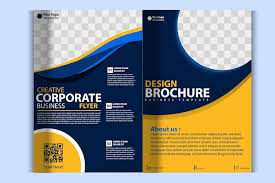
Pamphlet design ideasplay a key role in promoting businesses, events, products, and services effectively. A well-designed pamphlet not only grabs attention but also delivers your message clearly and professionally. Whether you are a startup, small business, or established brand, creative pamphlet design can help you stand out in a crowded market. In this blog, we’ll explore the best pamphlet design ideas, tips, and trends to help you create impactful marketing materials. Introduction to Pamphlet Design Ideas Why Pamphlet Design Matters How to Design a Pamphlet (Step-by-Step) Simple Pamphlet Design Ideas That Work Effective Leaflet Design Tips Using an A4 Pamphlet Template Print Design Best Practices Creative Tri-Fold Brochure Ideas Importance of a Strong Call-to-Action Smart Design Tips for an Effective Pamphlet Pamphlet Purpose & Use Cases Frequently Asked Questions (FAQ) Conclusion Pamphlets are cost-effective, easy to distribute, and highly versatile. A strong pamphlet design helps you: Create a positive first impression Communicate information quickly Promote products or services effectively Increase brand awareness Boost customer engagement Good design ensures your pamphlet is not just seen—but remembered. Understand your audience and purpose. Choose the pamphlet size and fold type. Decide on your headline and important points. Add images, icons, and brand colors. Arrange content neatly with proper spacing. Highlight contact details and CTA. Review the design and print with good quality. Pamphlet designs play a powerful role in promoting your business. A well-designed pamphlet helps you share your message clearly, attract customers, and build trust in your brand. By using eye-catching visuals, engaging content, and an attractive layout, Creative Pamphlet Designing Servicescreate a strong impression that encourages people to know more about your products or services. A good pamphlet is like a tiny, helpful friend for your business. It needs to give information quickly and look great! You don't need to be a professional designer to create one that works. If you’re looking for smart, simple pamphlet design ideas, you're in the right place. We'll show you how to use colors, words, and pictures to make a pamphlet that people actually want to read. The most important part of your design is how you arrange everything—this is the brochure design layout. Think of it like organizing your desk. A clean desk helps you work better! Rule of Three: Most pamphlets have three folds. Use each panel to cover one main point. Use Clear Boxes: Group related information (like prices or features) inside a small box or shape so it's easy to spot. Guide the Eye: Start the most important text at the top and finish with your contact info at the bottom right. A simple layout means people won't get confused and will absorb your message faster. Your words are just as important as your pictures. Here are some effective leaflet design tips to make sure your text is clear and easy to read: Keep Sentences Short: Write as you talk. Long, complicated sentences make people tired. Use Bullet Points: Instead of writing a big block of text about your services, use bullet points. They are fast to read and easy to remember. Big Headings: Use bold, large headings to break up the page. This tells the reader quickly what each section is about. If you're not sure where to begin, use an A4 pamphlet template. This is a great shortcut! Find Free Templates: Many free tools (like Canva or Word) offer easy templates you can change. Change the Colors: Make sure the template colors match your business logo. Swap the Pictures: Remove the sample pictures and add your own high-quality photos. A template gives you the basic structure, and you just fill in your own information. You've finished your design, great! But the print version needs special care. Following print design best practices means your pamphlet won't look blurry or cut off. Use High-Quality Photos: Make sure all your pictures are sharp and clear. If a picture looks blurry on your computer, it will look worse when printed! Watch the Edges: Don't put important text too close to the edge of the paper, or it might get cut off by the printer. The tri-fold is the most popular type! Use these specific tri-fold brochure ideas to make yours shine: The Big Picture: Use the entire front panel for one great, eye-catching picture. Inside Details: Use the three panels on the inside to describe your product, its benefits, and your company's story. The Back Panel CTA: Save the back panel for your address, phone number, website, and a strong call-to-action (see Tip 6). Always tell the reader what to do next! This is called a Call-to-Action, or CTA. You've spent time on your design, now make sure it pays off. Be Clear: Don't say, "Maybe check our website." Say: "Visit Our Website Today!" Give a Reason: "Call now to get a 10% discount!" This strong ending turns a nice design into a helpful marketing tool, especially if you also use custom flyer printing for smaller, related promotions. Keep the Message Clear: Use Quality Images & Graphics: Maintain a Clean Layout: Choose Readable Fonts & Colors: Add a Strong Call-to-Action: Purpose & Use Cases: These address the specific goals of the pamphlet Marketing Pamphlet Design A marketing pamphlet is created to promote products, services, or offers to customers. It highlights the key benefits, pricing, and reasons to choose a brand. This type of pamphlet uses attractive visuals, bold headlines, and strong calls to action to encourage people to buy or enquire. Businesses often use marketing pamphlets to boost sales and increase brand awareness. An informational pamphlet provides important details about a topic, process, or service without focusing on selling. It is designed to educate readers with clear text, diagrams, icons, and illustrations. The layout should be simple, well-organized, and easy to read so that people can understand the information quickly. Healthcare providers, government departments, and community centers commonly use these pamphlets. Business pamphlets help companies showcase their mission, services, achievements, and contact information. They build trust by presenting the brand’s value and professionalism. This style often includes company history, service lists, client testimonials, and unique selling points. It is perfect for corporate presentations, business meetings, and professional marketing. Educational pamphlets are designed to spread knowledge about subjects such as science, health, the environment, safety, and academic programs. The content should be simple, factual, and supported with images or charts for easy understanding. Schools, universities, and training institutes use them to explain courses, awareness topics, and learning programs. Clear language and informative visuals make these pamphlets more effective. An event promotion flyer or pamphlet is used to invite people to special events like exhibitions, concerts, seminars, sales, or cultural programs. It highlights event details such as date, time, venue, activities, and entry information. Attractive graphics and catchy headlines are important to catch attention quickly. This type of pamphlet motivates audiences to attend and helps increase participation and visibility. A good pamphlet is like a tiny, helpful friend for your business. It needs to give information quickly and look great! You don't need to be a professional designer to create one that works. If you’re looking for smart, simple pamphlet design ideas, you're in the right place. We'll show you how to use colors, words, and pictures to make a pamphlet that people actually want to read. The most important part of your design is how you arrange everything—this is the key. Think of it like organizing your desk. A clean desk helps you work better! Rule of Three: Most pamphlets have three folds. Use each panel to cover one main point. Use Clear Boxes: Group related information (like prices or features) inside a small box or shape so it's easy to spot. Guide the Eye: Start the most important text at the top and finish with your contact info at the bottom right. A simple layout means people won't get confused and will absorb your message faster. Your words are just as important as your pictures. Here are someeffective leaflet design tipsto make sure your text is clear and easy to read: Keep Sentences Short: Write as you talk. Long, complicated sentences make people tired. Use Bullet Points: Instead of writing a big block of text about your services, use bullet points. They are fast to read and easy to remember. Big Headings: Use bold, large headings to break up the page. This tells the reader quickly what each section is about. If you're not sure where to begin, use anA4 pamphlet template. This is a great shortcut! Find Free Templates: Many free tools (like Canva or Word) offer easy templates you can change. Change the Colors: Make sure the template colors match your business logo. Swap the Pictures: Remove the sample pictures and add your own high-quality photos. A template gives you the basic structure, and you just fill in your own information. You've finished your design, great! But the print version needs special care. Following print design best practices means your pamphlet won't look blurry or cut off. Use High-Quality Photos: Make sure all your pictures are sharp and clear. If a picture looks blurry on your computer, it will look worse when printed! Watch the Edges: Don't put important text too close to the edge of the paper, or it might get cut off by the printer. The tri-fold is the most popular type! Use these specifictri-fold brochure ideasto make yours shine: The Big Picture: Use the entire front panel for one great, eye-catching picture. Inside Details: Use the three panels on the inside to describe your product, its benefits, and your company's story. The Back Panel CTA: Save the back panel for your address, phone number, website, and a strong call-to-action (see Tip 6). Always tell the reader what to do next! This is called a Call-to-Action, or CTA. You've spent time on your design, now make sure it pays off. Be Clear: Don't say, "Maybe check our website." Say: "Visit Our Website Today!" Give a Reason: "Call now to get a 10% discount!" This strong ending turns a nice design into a helpful marketing tool, especially if you also use custom flyer printing for smaller, related promotions. A well-designed pamphlet is an effective and affordable way to promote your business, event, or message. With clear content, attractive visuals, and a clean layout, a pamphlet can quickly capture attention and encourage action. By focusing on simplicity, readability, and a strong call-to-action, you can create pamphlets that not only look professional but also communicate clearly and leave a lasting impression on your audience.Index
Why Pamphlet Design Matters
3. How to Design a Pamphlet? (Step-by-Step)
Simple Secrets: Easy Pamphlet Design Ideas That Really Work
1. Make the Brochure Design Layout Simple
2. Follow Effective Leaflet Design Tips for Easy Reading
3. Start Fast with an A4 Pamphlet Template
4. Simple Rules for Print Design Best Practices
5. Smart Ideas for Tri-Fold Brochure Ideas
6. Finish with a Great Call-to-Action
Smart Design Tips for an Effective Pamphlet
A pamphlet should deliver information quickly, so avoid long paragraphs or complicated words. Use short sentences that directly explain what you are offering or promoting. When the message is clear, readers can instantly understand your purpose and are more likely to respond.
Attractive visuals help capture attention even before someone starts reading. Always use high-resolution images that represent your brand, product, or service correctly. Supporting graphics and icons make the pamphlet visually appealing and guide the reader through the information more smoothly.
A cluttered pamphlet looks confusing and unprofessional. Leave enough white space around text and images so the design feels balanced. Organize sections properly using headings, subheadings, and bullet points. A clean layout helps readers focus on the most important details.
Fancy or overly decorative fonts can make the content hard to read. Select simple and professional fonts, and stick to limited colors that reflect your brand identity. Using consistent colors and font styles builds trust and makes your pamphlet look more polished.
After reading your pamphlet, people should know what to do next. A clear call-to-action (CTA) encourages them to take action, such as calling for more information, visiting your store, or checking your website. Phrases like Call Today, Visit Now, or Get Started help increase engagement and response.Informational Pamphlet Layout
Business Pamphlet Ideas
Educational Pamphlet Design
Event Promotion Flyer
Simple Secrets: Easy Pamphlet Design Ideas That Really Work
1. Make the Brochure Design Layout Simple
2. Follow Effective Leaflet Design Tips for Easy Reading
3. Start Fast with an A4 Pamphlet Template
4. Simple Rules for Print Design Best Practices
5. Smart Ideas for Tri-Fold Brochure Ideas
6. Finish with a Great Call-to-Action
Frequently Asked Questions (FAQ)
1. What is the best size for a pamphlet?
Common sizes include A4, A5, and DL. A4 tri-fold pamphlets are most popular for marketing.2. What should a pamphlet include?
A headline, images, key information, benefits, contact details, and a clear call-to-action.3. How can I make my pamphlet attractive?
Use high-quality images, simple text, readable fonts, and consistent brand colors.4. Which pamphlet type is best for marketing?
Tri-fold and bi-fold pamphlets work best as they provide enough space without clutter.5. Can pamphlets be used digitally?
Yes, pamphlets can be shared as PDFs via email, WhatsApp, websites, and social media.6. How many words should a pamphlet have?
Keep it short and clear—usually 150–300 words depending onthe design.Conclusion


Post a Review